
Why is My Laptop Running Slow? Common Software Causes and Fixes
Most slow laptops are a software problem, not failing hardware. Here are the common causes — startup programs, browser clutter, low storage, updates and malware — and how to fix them.
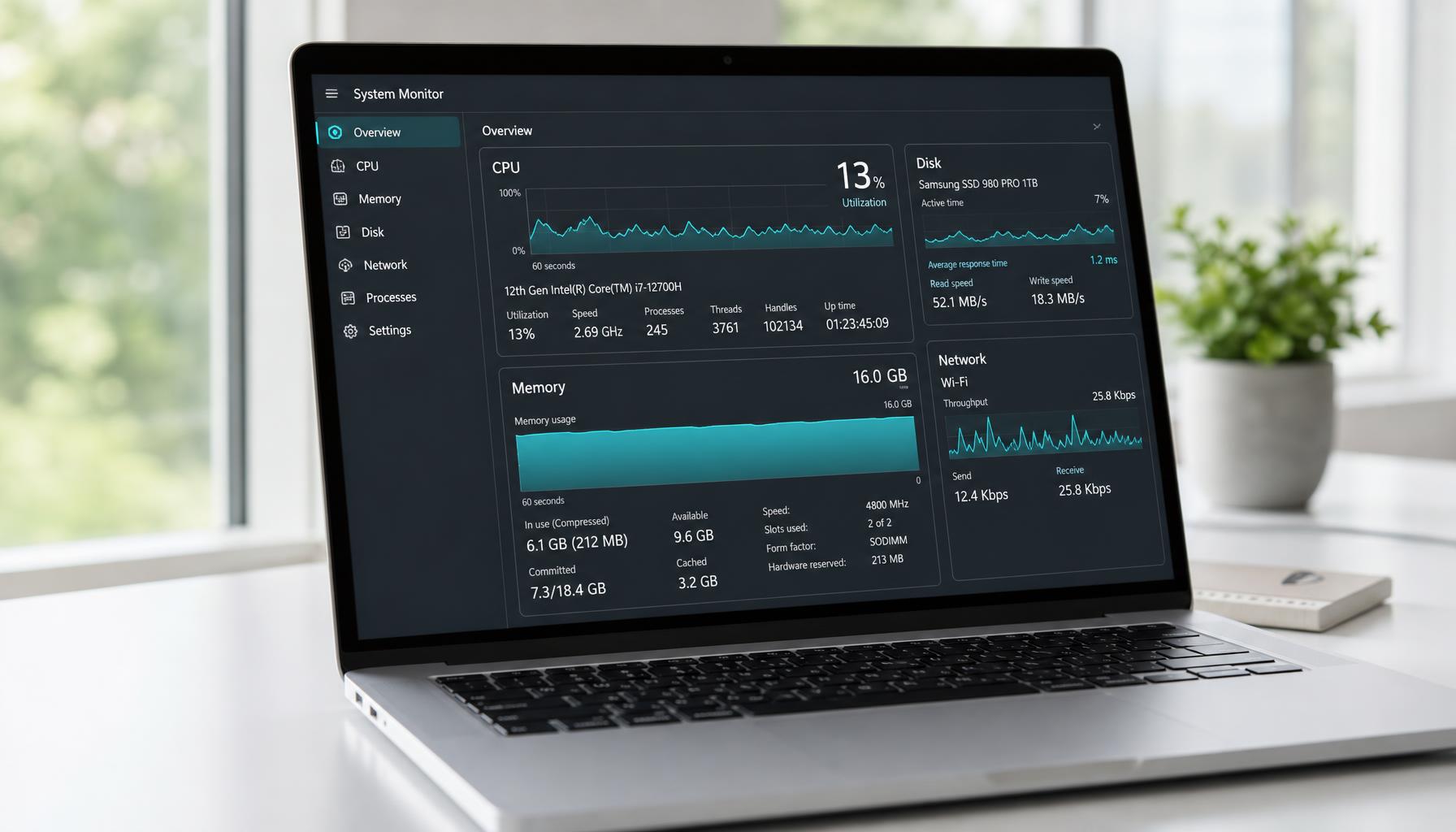
If your laptop is running slow, it's tempting to assume the hardware is on its way out. In most cases, though, a slow laptop points to something happening at the software level rather than a failing component. Modern software simply asks more of a laptop than it used to, and if things haven’t been kept in check, boot times and overall performance can quietly get worse over months without any single dramatic cause. The good news is that most of the reasons a laptop is running slow are fixable, often without spending a penny. Here are the most common software causes and what tends to help.
Too Many Background Processes and Startup Programs
Every time you install a new piece of software, there’s a good chance it quietly adds itself to your list of startup programs, whether you asked it to or not. Over a year or two, this builds up until a laptop is running a dozen or more background resources, and together they can add up to a real drag on performance, particularly on older machines with less processing power to spare.
Open Task Manager (on Windows, right-click the taskbar and select it, or press Ctrl, Shift and Escape) and look at the Startup tab. You will often be surprised by what’s listed there, from software you installed once and forgot about to update checkers for programs you barely open. Disabling unnecessary startup items, especially ones for software you barely use, is one of the simplest ways to improve performance without changing anything else about how you use your laptop.
Excessive Browser Tabs and Extensions
Web browsers are one of the biggest, and most overlooked, causes of a slow laptop. Every open tab uses memory, and extensions run In the background even when you’re not actively using them. If you’re someone who tends to have twenty or thirty tabs open at once, or a browser full of extensions installed over the years and forgotten about, this alone can account for a big chunk of the slowdown you’re noticing.
Try closing tabs you aren’t using at any given time, and take a look through your installed extensions to remove anything you don’t recognise or no longer need. It’s a five minute job that often makes a noticeable difference straight away.
Why Modern Software Feels Heavier Than It Used To
It's worth saying too that some of this isn’t really about anything going wrong. Modern software is simply more demanding than it was a few years ago. Applications that once ran comfortably now expect more processing power and memory as standard, and web pages themselves have become heavier, loading more scripts and media than they used to. A laptop that felt quick when you bought it can start to feel sluggish over time purely because everything it's being asked to run has grown around it.
This doesn’t mean an older laptop or PC is of no use. It usually means it needs a bit more help managing what's competing for its attention at any one time, rather than needing to be replaced outright. Freeing up system resources elsewhere, through the steps in this guide, often buys an older machine a good few more years of useful life.
Running Out of Storage Space
Laptops need a reasonable amount of free storage to work properly, not just to save your files but to manage something called virtual memory, which the operating system uses as an overflow when your laptop's memory is under pressure. When storage gets to full, there’s less room for this, and performance issues start to creep in, particularly when you’re running several programs at once.
A build-up of temporary files is a common culprit here too. These are created constantly by your operating system and the programs you use, whether that’s installers, browser caches, or files left behind when updates are applied, and while they are meant to be cleared automatically, they don’t always get removed as they should. Running your laptop’s built-in disk cleanup tool every so often, and keeping an eye on how much free storage you have left, is a simple habit that keeps performance issues at bay.
Outdated Software and Operating System Updates
It sounds counterintuitive, but outdated software can be just as much of a problem as too much of it. Software updates aren’t only about new features. They often include performance improvements and fixes for bugs that can cause a laptop to slow down or behave unpredictably. An operating system that’s several versions behind, or programs that haven’t been updated in a long time, can end up working harder than they need to just do the same job.
A few things worth checking:
- Whether your operating system has pending updates waiting to install
- Whether commonly used programs, such as your browser, are set to update automatically
- Whether any software you use daily is genuinely out of date, rather than just showing a notification you’ve been ignoring
Keeping things reasonably current is one of the easier ways to speed up your laptop without any real technical know-how
Malware and Other Malicious Software
Malicious software doesn’t always announce itself with the stereotypical pop-ups or warning signs. Some of the more common types run quietly in the background, using processing power and system resources without you noticing anything beyond a general sense that your laptop is running slower than it used to.
If your laptop has become sluggish fairly suddenly, especially alongside other odd behaviour like unfamiliar programs, unexpected browser toolbars, or a fan that’s constantly working hard, it's worth running a full scan with reputable antivirus or antimalware software. This is one of the areas where it's genuinely worth getting a second opinion if you’re not confident diagnosing it yourself, since malicious software can sometimes hide well enough that a basic scan doesn’t catch everything, particularly if it's been sitting quietly on the laptop for a while before you notice anything was wrong.
A Cluttered Operating System
Even without any single obvious problem, an operating system that’s been used heavily for a few years without much maintenance can simply accumulate clutter. Old program leftovers, fragmented settings, half-uninstalled software, and general wear on the software side of things can all contribute to slow boot times, longer load times for programs, and a laptop that generally feels less responsive than it used to. None of this shows up as a single fault you can point to, which is part of why its so often mistaken for a hardware problem.
This is often where the biggest jump in performance comes from, but its also the area where DIY fixes have limits. A proper software clean-up, and in some cases a full reinstall of the operating system, can bring an older laptop back to something close to how it felt when new, without needed to spend money on a replacement.
When It’s Worth Seeking a Specialist
Most of what’s covered here is safe to try yourself, and it's worth working through before assuming the worst. But if you’ve gone through the basics and your laptop is still running slow, or you’re not confident poking around in Task Manager and system settings, that’s a reasonable point to get a proper diagnostic done rather than guessing further.
A few signs it's worth getting looked at rather than continuing to troubleshoot alone:
- You’ve tried the steps above, and performance hasn’t meaningfully improved
- You suspect malicious software but aren’t confident running a thorough scan yourself
- The slowdown happened suddenly rather than gradually
- Your laptop is otherwise in good condition, and you’d rather fix the software than replace the machine
A proper diagnostic looks at what’s actually competing for your laptop's resources, rather than guessing, and it's usually a quicker route to a noticeably faster laptop than trying every fix in turn yourself.
Get in Touch
A slow laptop is frustrating, but it's rarely a sign that the machine itself is finished. More often than not, it’s a build-up of background processes, outdated software, clutter, or in some cases, something less obvious like malicious software running quietly behind the scenes. Working through the causes above will solve the problem for a lot of people, and for everyone else, it at least narrows down where the real is likely to be before any money gets spent.
If you’ve tried the basics and your laptop is still running slow, and you live within the Greater Manchester area, we're happy to take a proper look and tell you honestly what is going on.
Get in touch through our enquiry form with a bit of detail about what you’re noticing, including when it started and anything you’ve already tried, and we’ll talk you through what a software diagnostic would involve before any work begins.
Got a system that's holding you back?
Tell us what you're trying to achieve — we reply within one working day.
Start a conversation